


In the ever-evolving world of AI, one area that has gained significant attention is the ability to generate images from text. AI image generators use advanced algorithms to transform textual descriptions into stunning visuals, making it easier than ever for creators, marketers, and artists to bring their ideas to life without any design skills. In this article, we’ll dive into the best free AI image generators from text, how they work, and what makes each one stand out.
What is an AI Image Generator from Text?
An AI image generator from text is a tool that uses artificial intelligence to create images based on textual input. These tools interpret descriptive prompts and generate visuals that match the user’s request. Whether you’re looking for realistic images, abstract art, or cartoon-style graphics, AI image generators can cater to a wide range of creative needs.
How Do AI Image Generators Work?
AI image generators use deep learning models, particularly neural networks, trained on vast datasets of images and textual descriptions. When you input a text prompt, the AI analyzes it, identifies key elements, and generates an image that corresponds to your description. The more detailed your prompt, the more accurate and tailored the image output will be.
Benefits of Using Free AI Image Generators
- Accessibility: No need for graphic design skills—anyone can create professional-looking images.
- Cost-Effective: Many high-quality AI image generators are available for free, eliminating the need for expensive design software.
- Time-Saving: Instantly generate visuals instead of spending hours creating them manually.
- Creative Freedom: Allows users to experiment with different styles and ideas without constraints.
Top Free AI Image Generators from Text
1. DALL·E 3 (OpenAI)
Overview:
DALL·E 3 is an advanced AI image generator developed by OpenAI. It is one of the most popular tools for generating detailed, high-quality images from simple or complex text descriptions. Unlike its predecessor, DALL·E 3 has improved capabilities, producing images that are not only photorealistic but also capable of surreal artistic interpretations.

Key Features:
- High-Quality Outputs: DALL·E 3 is known for generating highly detailed, photorealistic images. Whether it’s creating lifelike portraits, complex landscapes, or abstract designs, the quality of the images stands out, with intricate details and sharp resolution.
- Creative Flexibility: One of the standout features of DALL·E 3 is its ability to handle both literal and abstract prompts. You can input anything from a straightforward description like “a cat sitting on a couch” to something more surreal, such as “a cat wearing a space suit flying on Mars.” This flexibility makes it suitable for a variety of use cases, from marketing and branding to creative art projects.
- User-Friendly Interface: Despite its advanced technology, DALL·E 3 is designed to be user-friendly, making it accessible for both beginners and advanced users. The interface is intuitive, allowing users to type in their prompts and generate images without needing any technical expertise
2. Artbreeder
Overview:
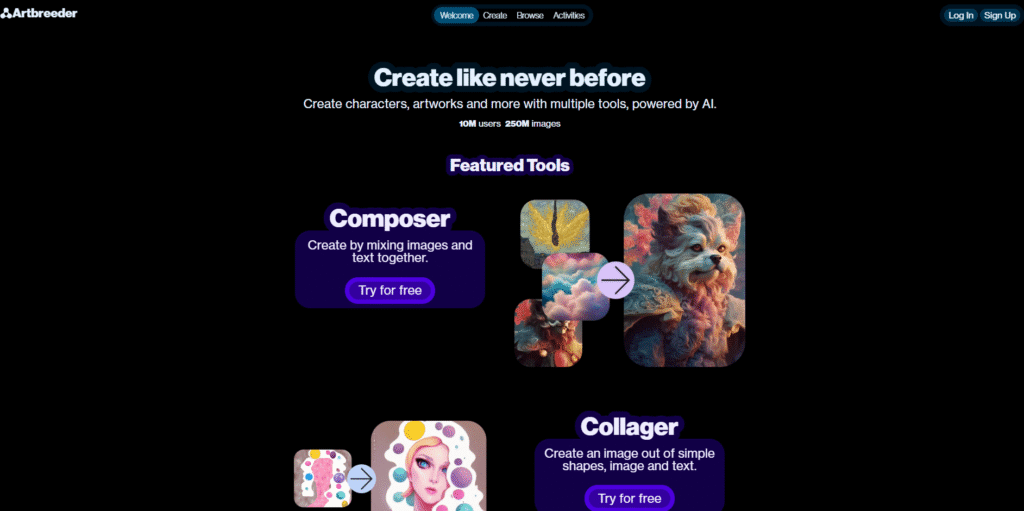
Artbreeder is an AI-based platform that specializes in generating and blending images using genetic algorithms. It allows users to create new artworks by merging multiple images together and adjusting their traits, such as facial features, landscapes, and artistic styles. Unlike traditional image generators, Artbreeder focuses heavily on evolving images, offering creative flexibility by enabling users to “breed” images and fine-tune them.
Key Features:
- Image Blending: Artbreeder’s primary feature is its ability to blend multiple images together. Users can mix and match images of faces, landscapes, and artworks, creating completely new visuals.
- Trait Adjustment: The platform provides sliders to control the specific traits of an image. For example, you can change the color, style, or expression of a character, or adjust the lighting and mood of a landscape.
- Collaborative Creation: Artbreeder encourages collaboration by allowing users to remix each other’s works. This community aspect fosters creativity and makes it easy to see how other users are interpreting similar prompts.
- Free and Paid Plans: While Artbreeder offers a free version, users can unlock additional features, higher resolution images, and more blending options through its paid plans.
3. Runway ML
Overview:
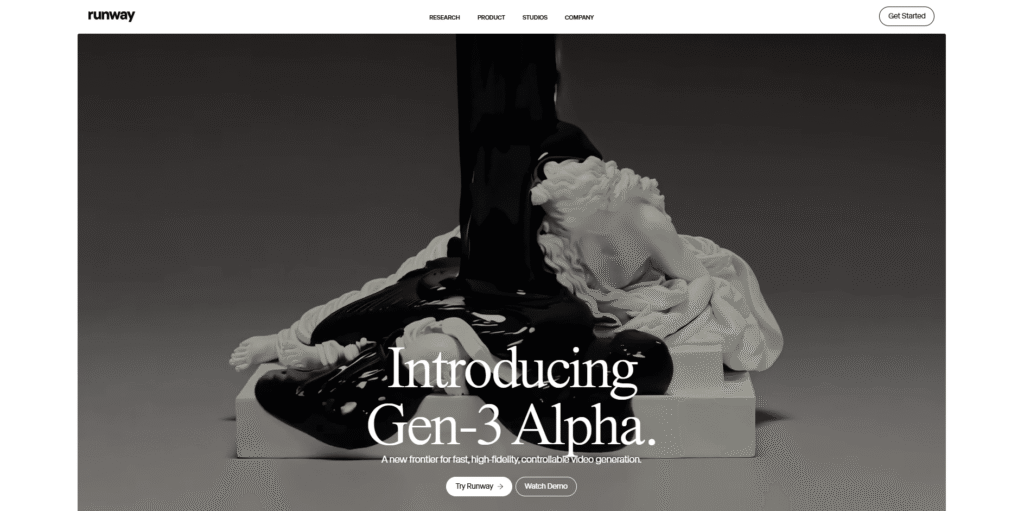
Runway ML is a creative toolkit designed for artists, designers, and creators looking to explore AI-generated content. It allows users to create everything from images and videos to 3D models and machine learning models using intuitive tools. Runway ML’s text-to-image generator is built for those who need to create realistic or surreal images based on simple text prompts.
Key Features:
- Creative Suite: Runway ML isn’t just for image generation. It offers an entire suite of AI tools for video editing, 3D rendering, and more, making it a one-stop-shop for creative professionals.
- Real-Time Collaboration: Runway ML allows multiple users to collaborate on projects in real time. This feature is particularly useful for teams working on larger projects or those who want to create something collectively.
- Generative Models: It provides access to various generative models, including Stable Diffusion and BigGAN, that can create complex and detailed visuals from text prompts.
- Easy-to-Use Interface: Runway ML’s interface is designed to be beginner-friendly while still offering advanced options for experienced users. It allows seamless integration with other creative software like Adobe Photoshop.
4. Craiyon (Formerly DALL·E Mini)
Overview:
Craiyon, originally known as DALL·E Mini, is a free AI image generator that produces images from text prompts. While it is less sophisticated than some other options, Craiyon is known for its speed and accessibility. It’s a great tool for quick, low-resolution image creation and experimenting with text-to-image generation.

Key Features:
- Quick and Free: Craiyon is entirely free and generates images relatively quickly, making it a go-to tool for casual users and those who need fast results.
- Low-Resolution Output: While Craiyon generates images that are not as high quality as some other tools, it still produces intriguing results. Users can expect some creativity and surrealism in the generated images.
- Simple Interface: Craiyon’s interface is extremely straightforward, allowing users to enter a prompt and see the result almost instantly, making it ideal for beginners.
- Open-Source: Craiyon is open-source, which means developers and tech enthusiasts can modify and improve the system, contributing to its evolution.
5. DeepAI
Overview:
DeepAI is a platform that provides a range of AI tools, including its text-to-image generator. The system is capable of producing images from text descriptions, generating everything from photorealistic scenes to abstract visuals. While its primary focus is on high-quality image generation, it also offers several other AI-based tools for developers and researchers.

Key Features:
- Diverse Image Styles: DeepAI is known for its ability to generate diverse styles, whether it’s realistic portraits, futuristic landscapes, or artistic abstract designs.
- Developer-Friendly: DeepAI provides API access for developers, making it easy to integrate image generation into websites and applications.
- Free to Use: DeepAI’s image generator is free, though users can access more powerful tools with a paid account for higher-resolution images and additional features.
- AI Customization: Users can tweak and fine-tune the results using various options to adjust the generated images according to their needs.
6. CGDream AI
Overview:
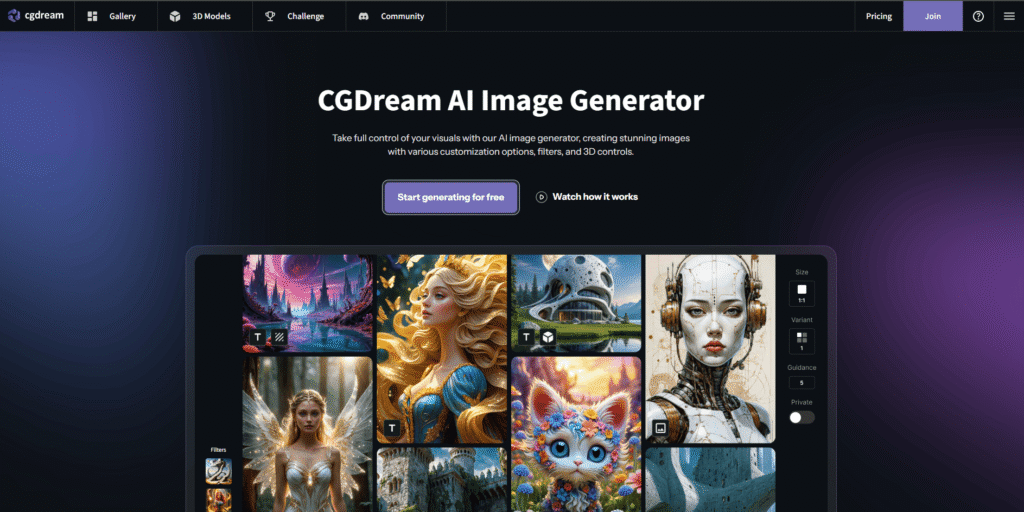
CGDream AI is a powerful text-to-image generator known for its focus on fantasy, sci-fi, and artistic themes. It allows users to create complex, imaginative images from detailed text descriptions, particularly in genres that require a high level of creativity and visual flair.
Key Features:
- Fantasy and Sci-Fi Focus: CGDream AI excels in generating fantastical and futuristic visuals, such as alien landscapes, sci-fi characters, and magical creatures.
- Customizable Details: It gives users control over finer details, such as the setting, lighting, and even the emotions conveyed by the characters in the image.
- High-Quality Art: The platform produces stunning, high-quality artwork that looks like it could belong in a professional art portfolio.
- Free and Paid Versions: While the basic version is free, users can pay for access to higher-quality, larger images
7. StarryAI
Overview:
StarryAI is a powerful AI image generator designed to create stunning, high-quality artwork from text descriptions. It’s popular for its ability to transform abstract ideas into beautiful visuals, offering users a wide range of customization options. With a focus on artistic and surreal creations, StarryAI is perfect for anyone looking to produce imaginative and eye-catching designs.

Key Features:
- High-Quality Outputs: StarryAI delivers vibrant, visually striking images with intricate details. Whether you’re aiming for an artistic painting, a surreal landscape, or an abstract concept, the AI generates high-resolution images that can rival professional artwork. The quality is consistent, making it a favorite among digital artists.
- Customization Options: One of StarryAI’s standout features is the ability to fine-tune the generated images. Users can adjust styles, color palettes, and the overall look of the image, giving them more control over the final output. This makes it suitable for creating unique pieces of art for various creative projects.
- Flexible Styles: StarryAI can generate images in a wide variety of artistic styles, from traditional paintings to futuristic digital art. This flexibility allows users to experiment with different aesthetics and moods, ensuring that each creation is aligned with their vision.
- User-Friendly Interface: While StarryAI is powerful, it remains easy to use. The platform is designed to accommodate both beginners and experienced users, allowing anyone to quickly input text prompts and generate artwork without technical knowledge. The intuitive interface enhances the user experience, making it a go-to tool for generating creative images on the fly.
8. Microsoft Designer
Overview:
Microsoft Designer is an AI-powered design tool integrated into Microsoft 365. It allows users to generate high-quality images, presentations, social media content, and more, all from simple text prompts. Designer leverages the power of OpenAI’s models and is particularly useful for users who need to create visually appealing content quickly and efficiently.

Key Features:
- User-Friendly Interface: Microsoft Designer is easy to use, making it accessible to people without a graphic design background. It simplifies the creative process, offering intuitive templates and customization options.
- Social Media and Business Graphics: It’s particularly great for creating engaging social media posts, business presentations, and marketing materials. Users can quickly generate visual assets that match their brand’s tone and style.
- Integrated with Microsoft 365: Since it’s part of the Microsoft 365 suite, it seamlessly integrates with other Microsoft tools like Word, PowerPoint, and Excel, enhancing productivity for business users.
- AI-Powered Customization: The tool can generate images based on brief prompts and adjust them according to user preferences, offering tailored designs that align with the user’s needs.
9. Adobe Firefly
Overview:
Adobe Firefly is Adobe’s latest foray into AI-driven content creation. It is designed to help users generate high-quality images, videos, and 3D designs using text prompts. Adobe Firefly uses generative AI models that allow users to create rich, creative visuals based on their ideas, perfect for those looking to create unique artwork, product designs, and marketing materials.

Key Features:
- Generative AI Models: Adobe Firefly is powered by cutting-edge generative AI, offering a high level of creativity and flexibility in the visuals it produces.
- Content Personalization: Users can customize the generated content, adjusting various elements such as color schemes, styles, and compositions to match their specific needs.
- Integration with Adobe Suite: As part of the Adobe family, Firefly is integrated with other Adobe Creative Cloud tools like Photoshop, Illustrator, and After Effects, allowing for easy editing and refinement of AI-generated visuals.
- Professional-Grade Outputs: The platform excels at generating professional-level visuals, making it ideal for designers, marketers, and creatives looking for high-quality, customizable imagery.
10. Fotor AI
Overview:
Fotor AI is a versatile image editing and design tool that incorporates AI to help users generate images from text. While it’s primarily known for its editing tools, Fotor has added a robust text-to-image generator that can produce high-quality visuals based on user prompts.

Key Features:
- AI Image Generator: Fotor’s text-to-image generator produces high-quality visuals based on detailed or simple text prompts, offering a range of styles including realism, surrealism, and abstract art.
- User-Friendly Design: Fotor is known for its easy-to-use interface, making it ideal for both beginners and advanced users who want to quickly generate images for their projects.
- Versatile Editing Tools: In addition to image generation, Fotor offers a wide range of editing tools for fine-tuning generated images, including background removal, retouching, and filters.
- Cloud-Based: As a cloud-based platform, Fotor allows users to create and edit images from any device, offering convenience and accessibility for all kinds of creatorsFotorNightCafe Creator.
11. NightCafe
Overview:
NightCafe is an AI-powered art generator that uses advanced algorithms, including VQGAN+CLIP and Stable Diffusion, to create stunning artwork from text prompts. It is highly popular among digital artists and hobbyists for its ability to create detailed, vibrant images across multiple styles.

Key Features:
- Multiple AI Models: NightCafe offers access to several generative models, including VQGAN+CLIP, StyleGAN, and Stable Diffusion, allowing users to choose the model that best fits their needs.
- Creative Flexibility: NightCafe excels at producing art in a variety of styles, including abstract, realistic, and fantastical visuals. It can also apply famous artistic styles (such as Van Gogh or Picasso) to create unique artworks.
- Credit-Based System: NightCafe uses a credit-based system, where users receive free credits to generate images and can purchase more credits for continued use. This makes it accessible for casual users and professional artists alike.
- Community Features: NightCafe offers a social platform where users can share their creations, interact with other artists, and draw inspiration from the community.
12. Pixelcut
Overview:
Pixelcut is an AI-powered design tool aimed at content creators and businesses looking to generate high-quality visuals for social media, e-commerce, and marketing. It offers a variety of templates and design tools, along with text-to-image generation powered by AI.

Key Features:
- Social Media Templates: Pixelcut is designed with social media marketers in mind, offering pre-made templates for posts, ads, and banners. Users can generate images to fit these templates with just a few clicks.
- AI-Powered Design Tools: The platform allows users to create images from text descriptions, helping users quickly generate visuals that fit their specific needs.
- Background Removal: Pixelcut’s AI also includes background removal tools, which can help users isolate subjects in their images, ideal for product shots and professional presentations.
- Seamless Integration: It integrates well with other tools, particularly for creating images optimized for e-commerce platforms like Shopify.
13. Visme
Overview:
Visme is an all-in-one design tool that includes AI-powered features for creating infographics, presentations, and visual content from text prompts. It’s popular for its professional-grade templates, and the AI-based design features make it an excellent tool for marketers, educators, and content creators.

Key Features:
- Infographics and Presentations: Visme is particularly strong in creating data-driven visuals like infographics, reports, and business presentations.
- Text-to-Image Generator: Using AI, Visme can generate images from text, making it easier to integrate creative elements into presentations and infographics.
- Customizable Templates: The platform offers a wide variety of customizable templates for business use, making it ideal for corporate presentations and educational content.
- User-Friendly: Visme’s interface is designed to be intuitive, even for users with little to no design experience.
14. Bing Image Creator
Overview:
Bing Image Creator, powered by DALL·E 3, is an AI tool integrated into Microsoft’s Bing search engine. It allows users to generate images from text prompts directly within the search engine, offering a seamless and convenient way to create images.
Key Features:
- Integration with Bing Search: Bing Image Creator is embedded within Bing’s search engine, making it easy to access without needing to visit external websites.
- Powered by DALL·E 3: As a tool powered by OpenAI’s DALL·E 3, it produces high-quality, detailed images from text prompts.
- Free Access: Users can generate images for free, although the output quality may vary based on the complexity of the prompt.
- Simple and Fast: The interface is user-friendly, and images can be generated quickly without complex setupFotorNightCafe Creator.
15. DreamStudio by Stability AI
Overview:
DreamStudio by Stability AI offers a powerful text-to-image generator powered by the Stable Diffusion model. Known for creating highly detailed and artistic visuals, DreamStudio has been widely adopted by the digital art community.

Key Features:
- High-Resolution Images: DreamStudio produces high-quality, high-resolution images, making it ideal for professional artists and designers.
- Customizable Outputs: Users can adjust parameters such as image size, style, and color to fine-tune their outputs.
- Open-Source Model: DreamStudio’s Stable Diffusion model is open-source, which allows for deep customization and integration with other creative tools.
- Access to Premium Features: While DreamStudio offers free access, users can also opt for premium plans that unlock additional features like higher resolution and priority access to servers.
Tips for Getting the Best Results from AI Image Generators
- Be Descriptive: The more detailed your prompt, the better the output. Specify colors, styles, and elements.
- Experiment with Prompts: Try different variations of your text to see how the AI responds.
- Use Keywords: Incorporate key descriptors to guide the AI in generating precise images.
- Refine Outputs: Some tools allow for iterative improvements—don’t hesitate to refine and retry.
- Leverage Free Tiers: Maximize the features offered in free plans before upgrading.
- Join Communities: Engage with other users to share ideas and get inspired.
- Use for Multiple Purposes: From social media graphics to personalized gifts, explore various use cases.
The Future of AI Image Generation
As AI technology evolves, image generators are becoming more sophisticated. We can expect even higher quality, faster processing times, and broader accessibility. For creators, the possibilities are virtually limitless.
Conclusion
AI image generators from text are revolutionizing the way we create visual content. They’re fast, efficient, and accessible to everyone, making them invaluable tools for designers, marketers, and everyday users alike. Whether you need a realistic image, a whimsical illustration, or an abstract masterpiece, these free AI tools offer endless possibilities. With the right prompt and a little creativity, you can turn your ideas into stunning visuals in no time.
FAQs
1. Are AI image generators really free to use?
Yes, many AI image generators offer free versions, though these may have limitations such as daily usage caps or access to fewer features.
2. Can I use AI-generated images for commercial purposes?
It depends on the specific AI tool and its licensing terms. Always review the terms of use or licensing agreement before using AI-generated images commercially to ensure you have the right to do so.
3. How accurate are AI image generators?
The accuracy of AI image generators varies, but it largely depends on how clear and detailed the input prompt is. The more specific you are in your description, the more likely you are to get the desired result.
4. Do I need any special skills to use AI image generators?
No special skills are required. Most AI image generators are designed to be easy to use, allowing anyone with basic computer knowledge to create images without prior design experience.
5. Can AI image generators create realistic images?
Yes, advanced tools like DALL·E 3 and Runway ML are capable of generating highly realistic images based on textual descriptions. The quality often rivals traditional photography or digital artwork.
Would you like to add more questions or details to this FAQ?


